Advanced Event Accounting

Summary

To allow more flexible tracking for accounting purposes, PEARS is updating the format of the event “Pricing” setup page after business hours on January 20, 2026.
The pricing for existing events will not be impacted, and the public-facing events portion is not affected. Only the options within the event setup (under Plan > Community Events) will change for PEARS users.
All events with payment will see the following changes:
A comparison of the previous and updated setup is included below.
A new Organization Setting is also available for “Advanced Accounting Information.” If this setting is enabled, a new payment sub-section displays in each event, including the following options:
  • Assign individual fees to an accounting code
  • Split fees across multiple accounting codes
  • Choose which portion of the fee can be discounted
A preview of the advanced options is included below.
Please contact PEARS Support (support@pears.io, 785-789-3199) with any questions.

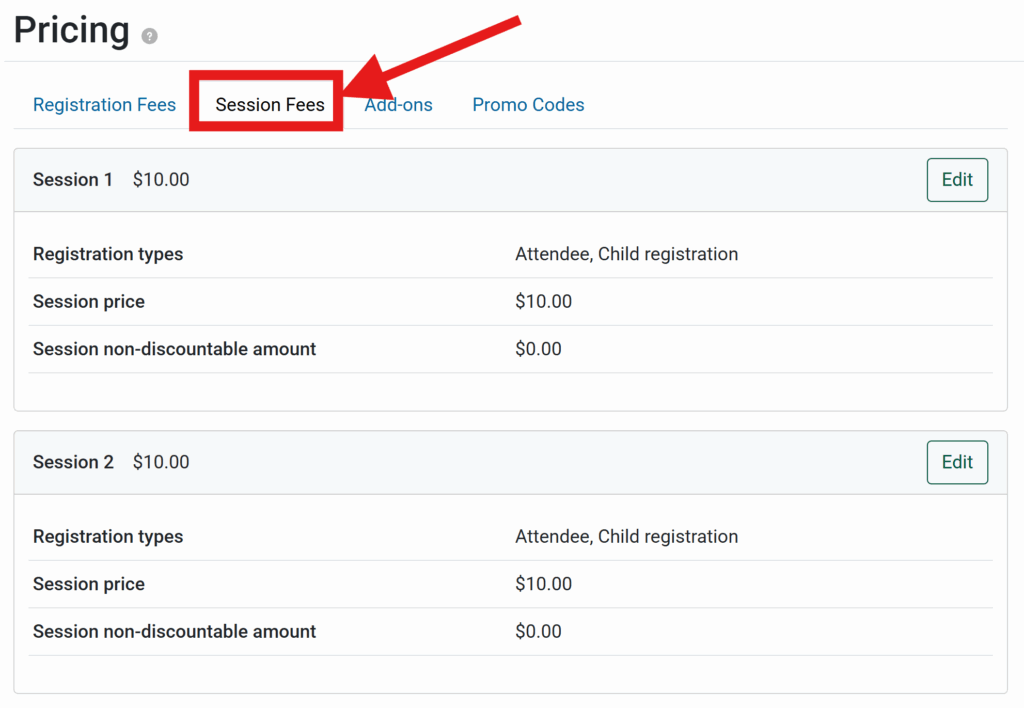
Session Fees

Previous

Session fees were configured in the same place as the base registration fee.

Updated

Session fees are now configured in a new tab within the Pricing page.
session fee stand alone

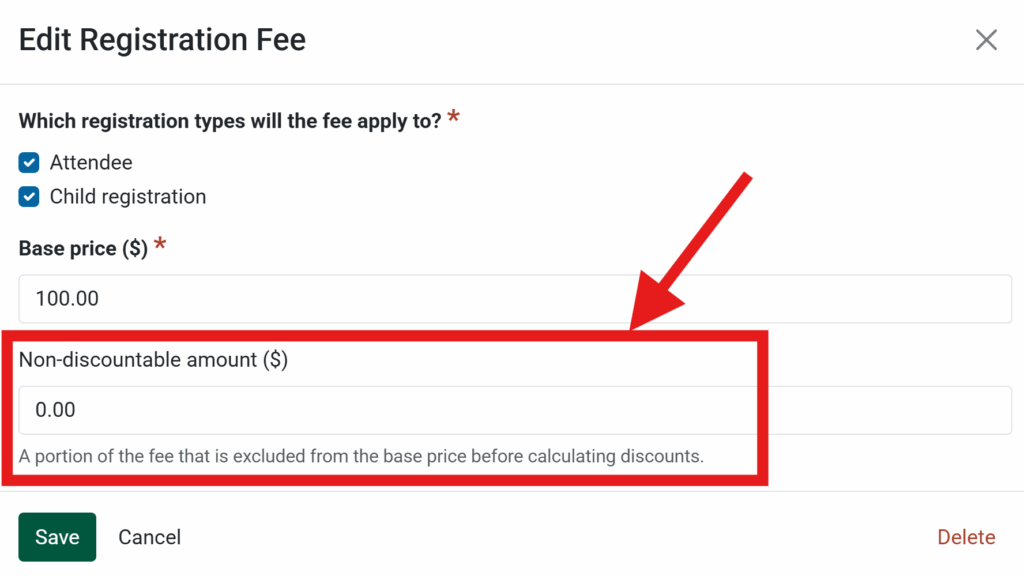
Non-discountable Amount

Previous

Discounts applied to the entire fee, with no accounting options.

Updated

For each fee, now optionally define an amount that is not discountable.
Non-discountable amount

Advanced Accounting Information

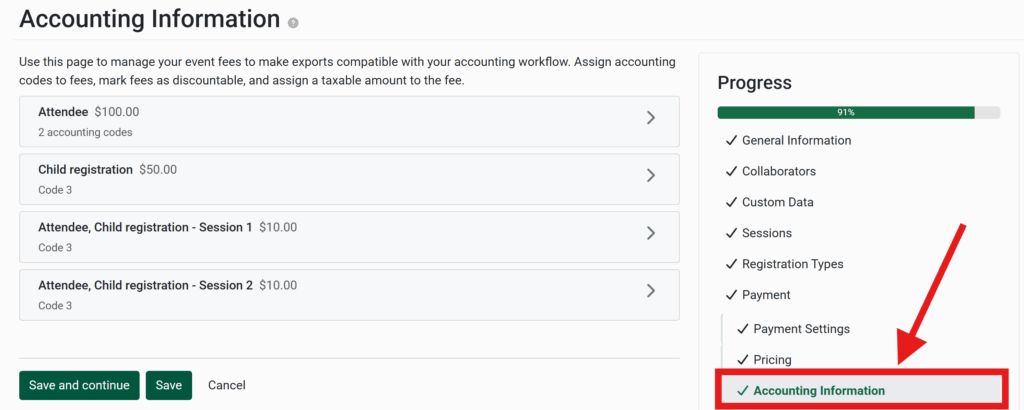
A new org setting allows advanced accounting setup. If the setting is enabled, a new section called Accounting Information is included for each event. This section allows you to assign accounting codes per fee, optionally split fees across multiple codes, and choose which portion of the fee can be discounted.
Accounting Information Section

Accounting Codes Per Fee

Assign each fee to an accounting code (rather than one code for the entire event). Each registration fee, session fee, and add-on can be assigned to the appropriate code(s).

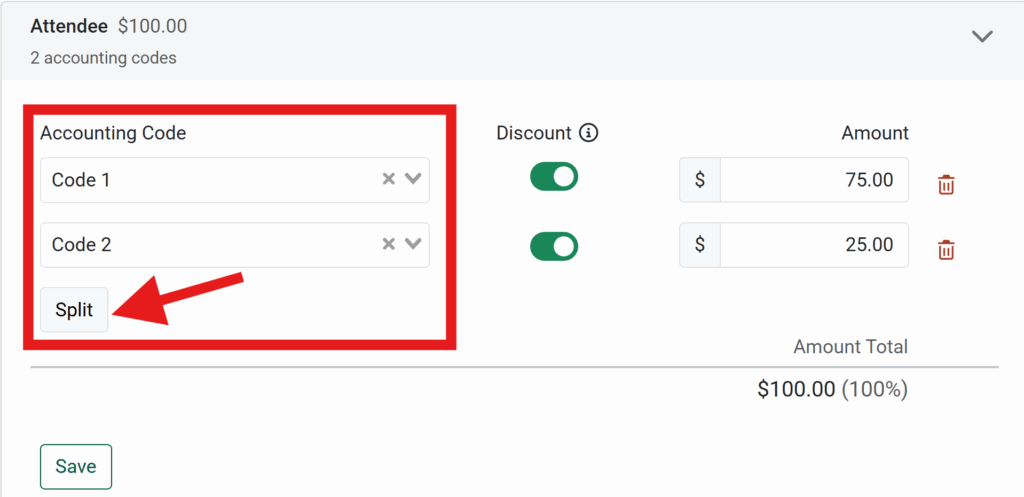
Split Fees

Optionally split fees across multiple accounting codes. Assign which portion of the fee goes to each code.
Any fee(s) can be split as needed, including registration fees, session fees, or add-ons.

Apply Discount

Optionally choose which portion of the fee can be discounted, and which accounting codes the discount is split between. 
This affects early bird and promo code discounts.
Discountable split fee