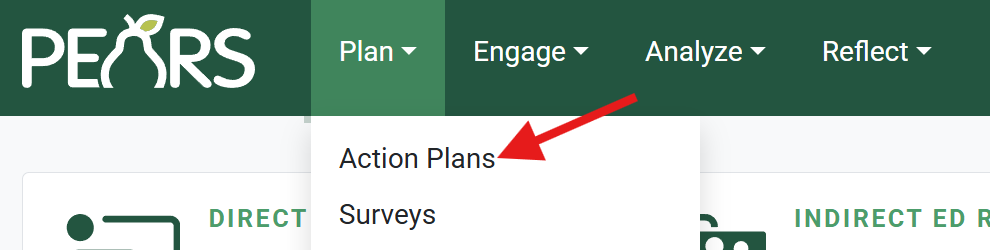
- From the PEARS homepage, hover the cursor over the Plan menu and click on Action Plans:

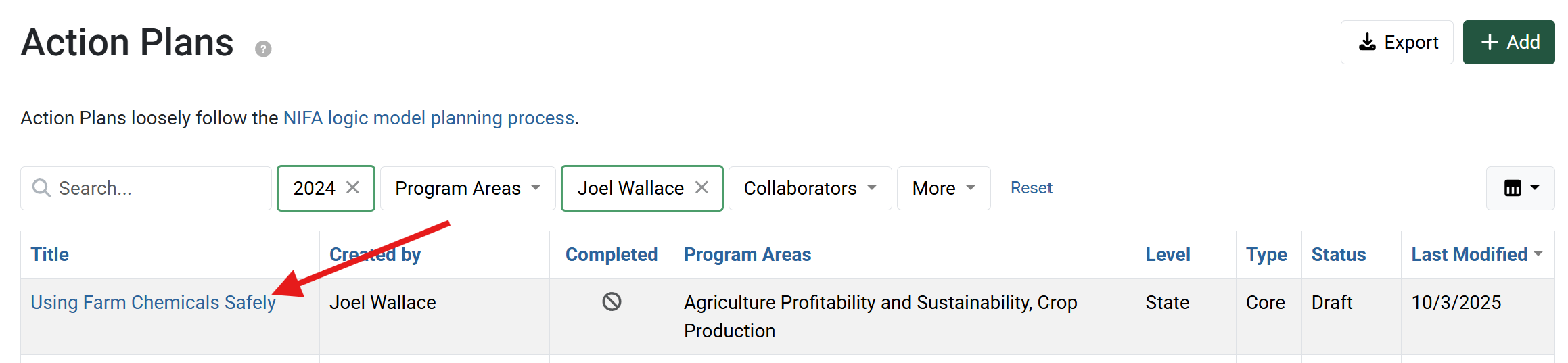
- The Action Plans list displays. Select an action plan to edit:
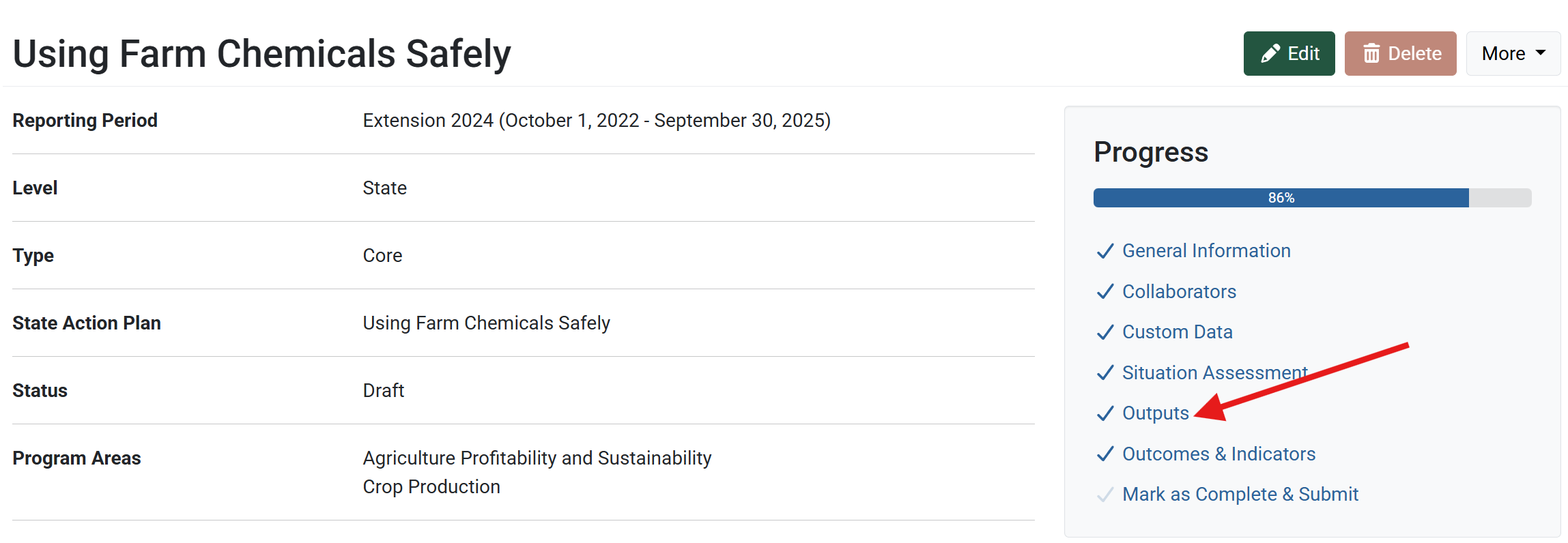
- The action plan details display. Click Outputs.
The Outputs page displays. Enter the intended outputs, describing what activities, products, or deliverables are planned.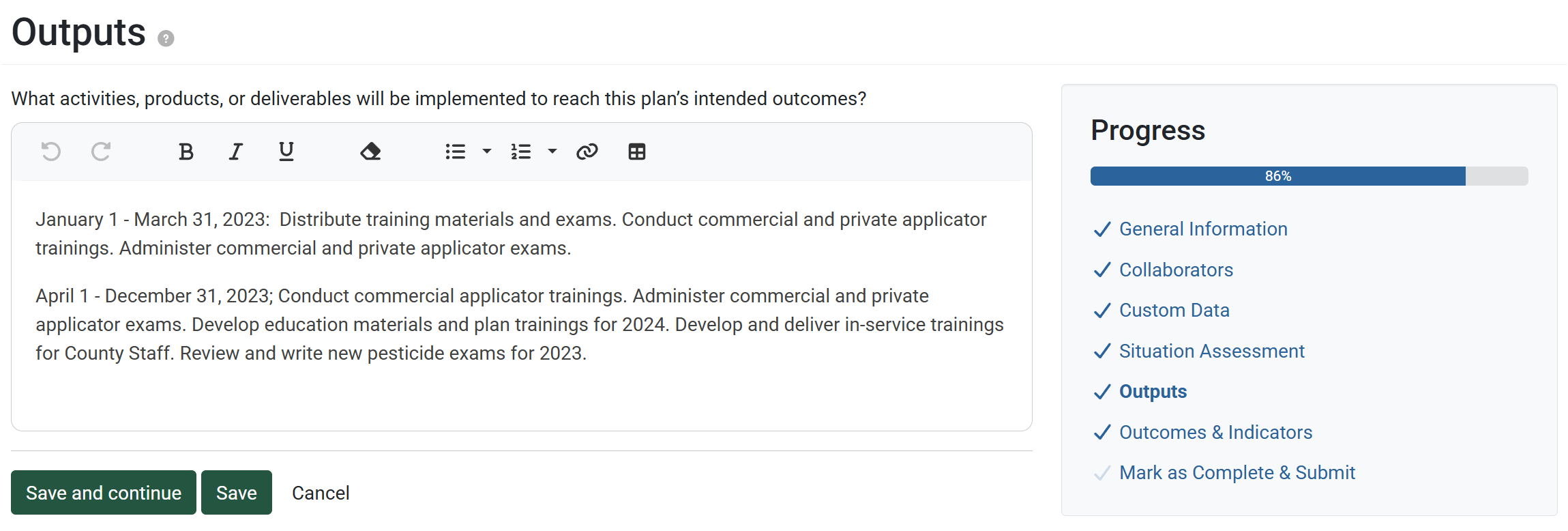
- Click Save and continue to save the page and move to the next section, or click Save to save the current changes and view the record details.